Article Summary
Learn what invoice digitization really means, compare three extraction methods, and see what structured invoice data enables for your business.
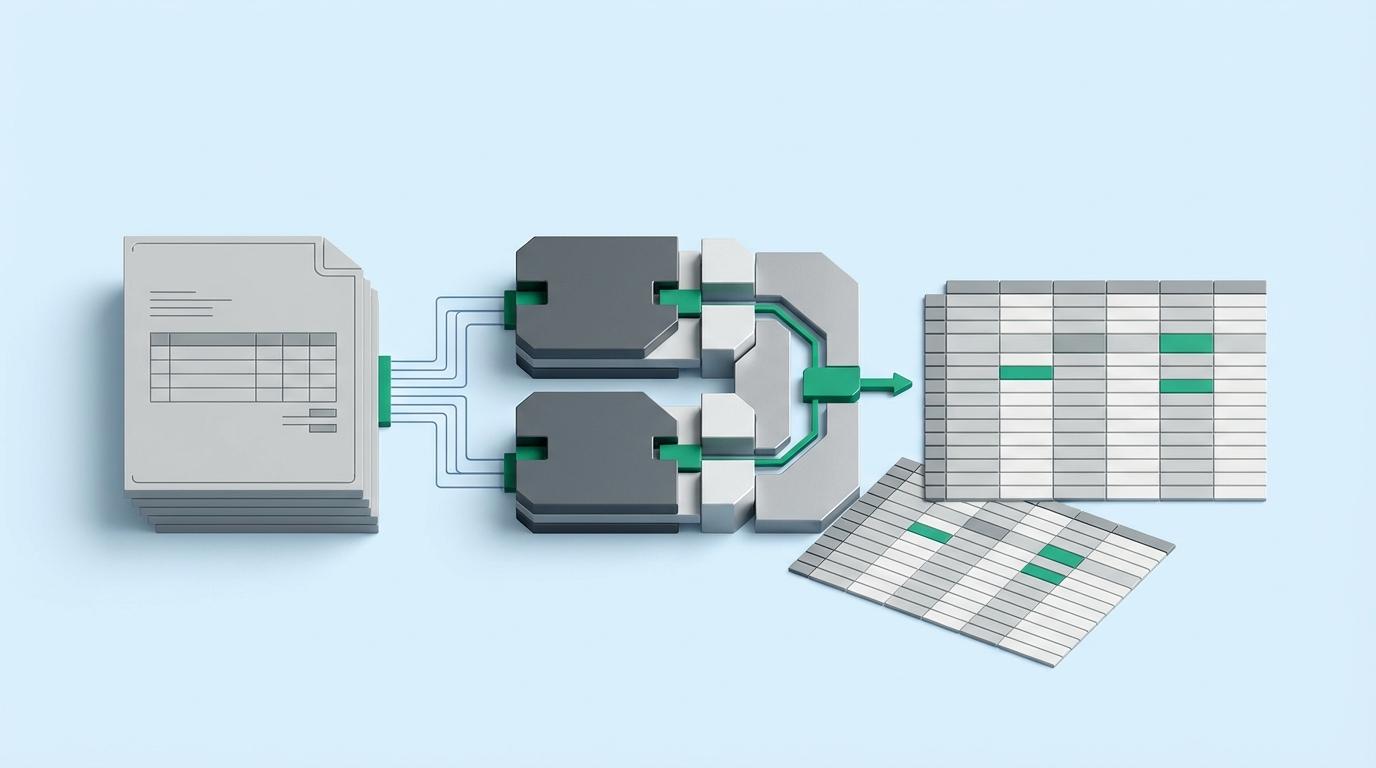
Invoice digitization is the process of transforming unstructured invoices into structured, machine-readable data. Whether the source is a paper document or a digital PDF, the goal is the same: extract specific fields (invoice numbers, dates, line items, totals, vendor details) and organize them into formats that accounting systems can actually use. This goes well beyond scanning. A scanned invoice is still just an image; digitization means the data inside it has been identified, pulled out, and structured.
This guide walks through the full digitization spectrum, from image capture to structured output, and compares three extraction methods (manual data entry, template-based OCR, and AI-powered extraction) so you can evaluate what fits your situation. It also covers the different paths for paper and PDF invoices, what structured data makes possible downstream, and how to choose the right approach for your business size.
What Invoice Digitization Really Means
Most businesses assume they have digitized their invoices the moment a paper document passes through a scanner or a PDF lands in a cloud folder. This is a widespread misconception. Scanning produces an image file, a photograph of text that no accounting system can read or process. Storing that PDF in Google Drive or SharePoint makes it easier to find, but the data locked inside remains inaccessible to any software that needs to consume it. Neither approach transforms the invoice into something your financial workflows can actually use.
True invoice digitization produces structured data. Every field on the invoice, including the invoice number, date, vendor name, payment terms, tax amounts, and individual line items, is identified, validated, and organized into a format that software can process without a human reading the document and typing values into fields. The output is not a picture or a block of raw text. It is a dataset where each piece of information occupies a defined, labeled position that your accounting platform, ERP, or spreadsheet can immediately interpret.
The distinction becomes clearer when you separate the process into three levels:
- Digital image (scanning): You have a picture of the invoice. The content is visible to a person but invisible to software. Every downstream action still requires manual data entry.
- Searchable text (OCR): Optical character recognition converts the image into raw text. You can search for a word or phrase, but the text has no structure. The system does not know which string is an invoice number, which is a date, and which is a total. Someone still needs to interpret and assign each value manually.
- Structured, field-level data (true digitization): Each data point is extracted, labeled, and placed into a defined schema. The result is a file, whether Excel, CSV, or JSON, where "Invoice Number" maps to a specific value, "Line Item 3 Description" maps to another, and every field is ready for automated processing.
Only the third level eliminates the manual interpretation step. A scanned invoice image forces someone to re-key every value. An OCR'd invoice gives you a wall of unstructured text that still demands human judgment to parse. A properly digitized invoice delivers data that flows directly into reconciliation, approval routing, and payment workflows without anyone copying numbers between screens.
This matters because the bottleneck in most invoice workflows is not storage or retrieval. It is the translation of document content into usable data. Businesses that stop at scanning or basic OCR still carry the full cost of manual data entry and the error rates that come with it. For readers interested in where this process begins, understanding how invoice scanning works as the first step provides useful context on document capture before extraction.
Understanding the full spectrum from document capture to structured output reveals where value is actually created at each stage, and where most organizations lose it. The next section maps those stages in detail.
The Four Stages of Invoice Digitization
Most organizations treat digitization as a single event: scan the paper, save the file, move on. In reality, invoice digitization is a four-stage spectrum, and where you stop on that spectrum determines whether you actually reduce manual work or just create a digital filing cabinet.
Stage 1: Image Capture
The first stage converts physical documents into digital files. This means scanning paper invoices, photographing receipts, or simply receiving invoices that arrive as digital-native PDFs or image attachments.
The output is a file (PDF, JPG, or PNG). No data extraction occurs here. You have a picture of an invoice, not invoice data. For organizations still passing around paper, this stage is necessary, but it is only the starting line.
Stage 2: Text Recognition
Optical character recognition (OCR) or native text extraction converts the image into machine-readable text. A scanned PDF becomes searchable. Characters on the page become selectable strings.
The output is raw, unstructured text. You can now search for a vendor name or copy a total amount, but the text is not organized into labeled fields. The system does not know that "2026-02-15" is an invoice date or that "$4,327.50" is the total due. It sees characters, not meaning.
This is where most businesses stop. They save searchable PDFs to a shared drive and consider the job done. But the gap between raw text and structured data is exactly where the real ROI of digital invoice processing lives.
Stage 3: AI-Powered Data Extraction
The third stage is where unstructured text becomes labeled, validated information. AI models analyze document structure and context to isolate specific fields: invoice numbers, dates, vendor names, payment terms, line-item descriptions, quantities, unit prices, and totals.
Unlike basic OCR, AI-powered data extraction understands that a number in the top-right corner labeled "INV-" is an invoice number, not a purchase order. It distinguishes shipping charges from subtotals. It parses line-item tables with varying column layouts across different vendors.
The output is labeled, validated data points: discrete fields mapped to their meaning.
Stage 4: Structured Output
The final stage organizes extracted data into a format your systems can consume. This means Excel spreadsheets with properly typed columns, CSV files ready for ERP import, or JSON payloads for API integration. Each row represents an invoice or line item. Each column represents a specific field. The data is system-ready without manual reformatting.
Where the Value Gap Lives
Stages 1 and 2 digitize the document. Stages 3 and 4 digitize the data. The difference is operational: searchable PDFs still require someone to open each file, read the values, and type them into your accounting system. Structured output feeds directly into reconciliation, approval workflows, and financial reporting.
Modern AI extraction platforms collapse stages 2 through 4 into a single step. You upload scanned images or native PDFs in any combination (PDF, JPG, PNG) and receive structured Excel, CSV, or JSON output with labeled fields ready for downstream use. No separate OCR tool. No manual column mapping. Digitize your first 50 invoices free to see the difference between a searchable PDF and structured data you can actually work with.
For readers working with invoices that arrive electronically rather than on paper, the extraction process has its own considerations. See our guide on capturing data from electronic invoices.
The starting point on this spectrum differs depending on whether your invoices arrive as paper documents or as digital PDFs, and each path carries distinct trade-offs worth understanding before you choose a digitization method.
Paper Invoices vs. PDF Invoices: Different Paths to Structured Data
Most businesses today receive the majority of their invoices as PDFs, delivered through email attachments or supplier portals. The "digitization" challenge for these organizations is not about scanning paper. It is about extracting structured data from files that are already digital but trapped in unstructured formats.
That said, paper invoices are far from gone. According to a 2025 AIIM survey of over 600 enterprises, 61% of intelligent document processing workflows still include paper documents, with 48% of organizations expecting paper volumes to increase in the coming year. The reality for most businesses is a mixed environment where both paper and PDF invoices arrive daily, and the digitization approach needs to handle both.
The Paper Invoice Path
A paper invoice must travel through every stage of the digitization spectrum. First, the physical document is scanned or photographed to create a digital file, typically an image or scanned PDF. Then optical character recognition converts that image into machine-readable text. Finally, AI-powered extraction identifies the relevant fields, including vendor name, line items, totals, tax amounts, and payment terms, and produces structured data output. Nothing can be skipped. Each stage depends on the one before it.
The PDF Invoice Path
PDF invoices start further along the spectrum. The file is already digital, eliminating the capture stage entirely. Native PDFs (those generated directly from accounting or ERP software) contain an embedded text layer, which means OCR is unnecessary. AI extraction reads the text directly and maps it to structured fields. Even scanned PDFs that lack a text layer only require OCR before extraction can proceed. Either way, the path is shorter and faster than the paper route.
Where the Real Bottleneck Sits
Both paths converge at the same destination: structured data ready for accounting systems, ERP platforms, or reconciliation workflows. But the practical implication is significant. Businesses that focus exclusively on solving the paper scanning problem miss the larger opportunity. The bulk of invoice volume today is already digital, and the bottleneck is data extraction, not digitization of the physical document. A stack of PDFs sitting in an email inbox is no more useful than a stack of paper on a desk if the data inside them cannot be extracted and processed automatically.
For readers focused specifically on digital invoices, a dedicated guide on extracting data from PDF invoices covers that path in detail. For those still handling significant paper volume, the guide on capturing information from paper invoices addresses the full end-to-end process from physical document to structured output.
With both paths leading to the same structured data destination, the critical decision becomes which extraction method to use for the conversion itself.
Three Invoice Digitization Methods Compared
Not every business digitizes invoices the same way. The right method depends on volume, format variability, and how much time your team can allocate to data entry. Here is a direct comparison of the three primary approaches.
| Feature/Factor | Manual Data Entry | Template-Based OCR | AI-Powered Extraction |
|---|---|---|---|
| Setup effort | None | High - requires template configuration per supplier layout | Low - no templates needed, uses natural language instructions |
| Per-invoice processing time | 3-15 minutes depending on complexity | 5-30 seconds after template is configured | 1-8 seconds per page |
| Accuracy pattern | Starts high, degrades with volume and fatigue | High for known formats, fails on layout changes | Consistently high across varied formats |
| Handling of format variations | Adapts naturally but slowly | Breaks when layouts change, requires new templates | Handles format variations without per-supplier setup |
| Scalability | Extremely limited - linear cost increase | Moderate - constrained by template maintenance burden | High - batch processing of thousands of documents |
| Best suited for | Under 50 invoices per month | Known suppliers with stable, consistent formats | Mixed-format, high-volume, or growing invoice loads |
| Cost profile | No tool cost, highest labor cost per invoice | Mid-range - software licensing plus template maintenance | Lowest cost per invoice at volume |
Manual data entry means a person reads each invoice and types the relevant fields into a spreadsheet, ERP, or accounting system. There is zero setup cost and no learning curve. The problem is that accuracy depends entirely on the individual doing the work, and it deteriorates predictably with volume and fatigue. A bookkeeper processing 20 invoices may catch every detail. That same person processing 200 in a day will introduce errors in vendor names, transposed amounts, and missed line items. Manual entry is only practical for very low volumes where the cost of mistakes remains manageable.
Template-based OCR takes a different approach. You pre-configure rules or zones for each invoice layout, telling the system exactly where to find the invoice number, date, line items, and totals on the page. For invoices from known suppliers with consistent formatting, this works reliably. The limitation is brittleness. When a supplier updates their invoice template, when a new vendor sends invoices in an unfamiliar layout, or when scanned documents arrive slightly rotated, the templates break. Maintaining templates for dozens or hundreds of suppliers becomes a project in itself. Accuracy and cost sit in the mid-range, but the ongoing maintenance burden is the real constraint.
AI-powered extraction eliminates the template dependency entirely. Rather than mapping fixed zones on a page, AI models analyze the full document, understand the context of each field, and extract structured data regardless of layout. You describe what you need in plain language rather than configuring positional rules. Invoice Data Extraction, for example, lets users prompt the AI with natural language instructions like "Extract invoice number, date, vendor name, net amount, tax, and total" and processes up to 6,000 mixed-format files (PDF, JPG, PNG) in a single batch at 1-8 seconds per page. There is no per-supplier setup, no template to maintain when formats change, and no accuracy degradation at scale.
The choice between these methods is not always binary. Many businesses start with manual entry when they handle a small number of invoices each month, then migrate to an AI-powered invoice data extraction tool as volume grows. The practical tipping point sits around 50 to 100 invoices per month. Above that threshold, the cumulative time spent on manual processing and the cost of correcting data entry errors typically exceed what an automated extraction tool costs.
Whichever method a business selects, the objective remains the same: converting unstructured invoice documents into structured, reliable data. The next section examines what that structured data makes possible once it is captured.
What Structured Invoice Data Enables
The endpoint of invoice digitization is not a spreadsheet full of numbers. Structured data is the foundation for downstream workflows that reduce costs, catch errors before they become problems, and give finance teams real visibility into where money goes.
Here is what becomes possible once invoice data is consistently structured across vendors and time periods.
Three-Way Matching
With structured invoice data, businesses can automatically compare invoices against purchase orders and delivery receipts. The system verifies that what was ordered, what was delivered, and what is being billed all align. Discrepancies surface immediately: a vendor billing for 500 units when only 450 were received, or a price that does not match the original purchase order.
Without structured data, this matching happens manually. Someone pulls up the invoice, finds the corresponding PO, locates the delivery receipt, and compares line items row by row. For businesses processing hundreds of invoices monthly, that manual comparison is where errors slip through and overpayments go undetected.
Approval Routing
Structured data enables automatic routing of invoices for approval based on predefined rules. A $500 office supply invoice goes directly to the office manager. A $50,000 capital equipment invoice routes to the CFO. Invoices from a specific vendor category route to the department that manages that relationship.
Without structured data, someone reads each invoice, interprets the amount and category, and decides where to send it. That decision point introduces delays and inconsistency. Structured fields like vendor name, invoice total, and line-item categories make rule-based routing reliable and immediate.
ERP and Accounting System Import
Structured data in standardized formats like Excel, CSV, or JSON can be imported directly into accounting systems. QuickBooks, Xero, Sage, and enterprise ERPs all accept structured data imports. Invoice line items map to the correct general ledger accounts, tax amounts populate the right fields, and vendor records update automatically.
Without structured data, this requires manual data entry. Someone reads the invoice and types each field into the accounting system, one invoice at a time. For a business processing several hundred invoices per month, that manual entry represents dozens of hours and a persistent source of transcription errors.
Spend Analytics
Which vendors account for the largest share of your costs? How does this quarter's spending compare to the same period last year? Where is budget variance concentrated? These questions are only answerable when invoice data is structured and comparable across documents. A folder of PDFs cannot answer them, but a database of consistently structured invoice records can.
With digitized data spanning vendors, departments, and time periods, finance teams gain the visibility to identify cost-saving opportunities, spot above-contract pricing from suppliers, and track budget adherence across the business in near real time.
Compliance and Audit Readiness
Structured data with clear field mapping creates an auditable trail from summary figures back to source documents. Regulators and auditors can trace any number to the specific invoice it originated from and verify that the data flowed correctly into financial reports. Without structured data, audit preparation becomes a manual exercise: staff spending days pulling invoices from filing cabinets or email archives and matching them to ledger entries one by one.
The Common Prerequisite
None of these workflows require enterprise software to get started. Three-way matching can begin with a VLOOKUP comparing structured invoice data against a purchase order export. Approval routing can work through existing email rules. Accounting imports use standard file formats that every major platform accepts.
The prerequisite they all share is structured data, which is the output of the digitization process. The practical question that remains is how to choose the right approach given your business size and invoice volume.
Choosing the Right Digitization Approach for Your Business
The right digitization approach depends less on what technology appeals to you and more on your invoice volume, supplier diversity, and where extracted data needs to go. Here is a practical framework organized by business size.
Sole Traders and Freelancers (Under 20 Invoices per Month)
At fewer than 20 invoices per month, the raw time spent on manual data entry may feel manageable. But "manageable" is not the same as "reliable." Manual entry at any volume introduces transcription errors, and paper invoices that sit in a folder or a shoebox have a way of going missing entirely.
The key evaluation criteria at this tier are accuracy and zero-cost entry. You are not trying to save hours of labor. You are trying to eliminate the risk of a mistyped figure throwing off your books or a lost invoice creating a gap at tax time. A free-tier AI extraction tool handles both problems without adding a line item to your expenses. You upload the invoice, receive structured data, and file it. The organization benefit alone justifies the five minutes of setup.
Small and Medium Businesses (20 to 500 Invoices per Month)
Once invoice volume crosses into the dozens or hundreds per month, manual processing stops being a viable option. The labor cost is obvious, but the hidden cost is worse: delayed entries, reconciliation backlogs, and an accounts payable function that cannot keep pace with the business.
To put the time savings in perspective: a business processing 200 invoices monthly at an average of 5 minutes per manual entry spends roughly 17 hours per month on data entry alone, before accounting for error correction. AI extraction at 1-8 seconds per page reduces that to under 30 minutes.
Template-based OCR can work at this scale if your supplier base is narrow and your invoice formats are predictable. But that condition rarely holds for long. As you onboard new vendors, each unfamiliar layout requires a new template or manual correction. The maintenance burden grows with every supplier added.
AI-powered extraction is the practical choice here because it handles varied invoice formats without per-supplier configuration. The evaluation criteria shift to format flexibility and cost per invoice. You need a tool that processes a purchase order from one supplier and a handwritten invoice from another with equal reliability. Pay-as-you-go pricing structures, where cost per page decreases with larger bundles, make this accessible without committing to enterprise-level contracts. See invoice digitization pricing and free tier details to compare what different volume tiers actually cost.
For accountants and bookkeepers managing invoice processing across multiple clients, the format variation multiplies further. Each client's vendors bring their own invoice layouts. AI extraction handles this variation without per-client template configuration, producing consistently structured output regardless of source format.
Mid-Market and Growing Companies (500+ Invoices per Month)
At 500 or more invoices per month, the question is no longer whether to digitize. It is whether your digitization process integrates with everything downstream. Extraction that produces structured data in isolation creates a new manual step: getting that data into your ERP, accounting platform, or AP automation workflow.
The evaluation criteria at this scale are API integration, team features, and throughput. API access for programmatic integration means extracted invoice data flows directly into your existing systems without manual export and import cycles. Multi-user environments need shared access to extraction results, team activity tracking, and centralized credit management rather than individual licenses that fragment visibility. Consistent extraction prompts become important for producing standardized output across thousands of documents processed by different team members.
The difference between a tool that works and a tool that scales is whether it fits into your operational architecture or sits beside it as yet another standalone application.
The Destination Is the Same
Whether you process 10 invoices a month or 10,000, invoice digitization serves one purpose: turning unstructured documents into structured, actionable data. A sole trader uploading a photograph of a receipt and a mid-market AP team running batch extractions through an API are both solving the same fundamental problem. The method and tools differ by scale, but the destination does not.
From Unstructured Documents to Actionable Data
Invoice digitization, at its core, is one transformation: turning unstructured documents into structured, machine-readable data that your financial systems can consume. The method and tools differ by business size, but the destination is always the same.
Your practical next step is straightforward. Identify three things: your monthly invoice volume, your current mix of paper versus PDF, and the specific downstream workflows you want to enable (whether that is ERP import, automated matching, or consolidated reporting across clients). These three inputs determine where you fall on the implementation framework above and which approach delivers the best return for your situation.
The fastest way to evaluate whether AI extraction works for your invoices is to test it with a small batch of your actual documents, from your actual vendors, with the formatting inconsistencies your team encounters daily. That is the only meaningful test, and you can start one below.
Related Articles
E-Invoicing Explained: Formats, Mandates, and How It Works
What is e-invoicing, how does it differ from PDF invoicing, and which countries require it? Covers formats, 2026 mandates, and what to do when you receive one.
Invoice Validation: Process, Checklist, and Best Practices
Learn the invoice validation process from data capture to payment approval. Includes fraud detection methods, type-specific rules, and a priority checklist.
Paperless Invoice Processing: A Practical Guide
Go paperless with invoices using a three-tier model: digitize, extract, automate. Implementation by org size, ROI framework, and pitfalls to avoid.
Extract invoice data to Excel with natural language prompts
Upload your invoices, describe what you need in plain language, and download clean, structured spreadsheets. No templates, no complex configuration.